Pick your wallpaper.
Sign in to the app and choose an available sponsored campaign. Check its point rate before you start.
LAUNCHING SOON
Choose a sponsored wallpaper. Earn points. Redeem them for gifts.
Free to join. You choose the brands. Stop whenever you like.
THREE SIMPLE STEPS
Sign in to the app and choose an available sponsored campaign. Check its point rate before you start.
Earn when the wallpaper is visible and meets the display rules. See your confirmed balance in the app.
Save enough points, pick a gift from Rewards, and send your request.
Points come from qualifying displays, not just having the app open. See what counts
A REASON TO LOOK FORWARD TO THE LITTLE THINGS
Put your points towards shopping, food and entertainment gifts in the app.
The catalogue shows what’s available and how many points you need.
WHAT USERS SEE
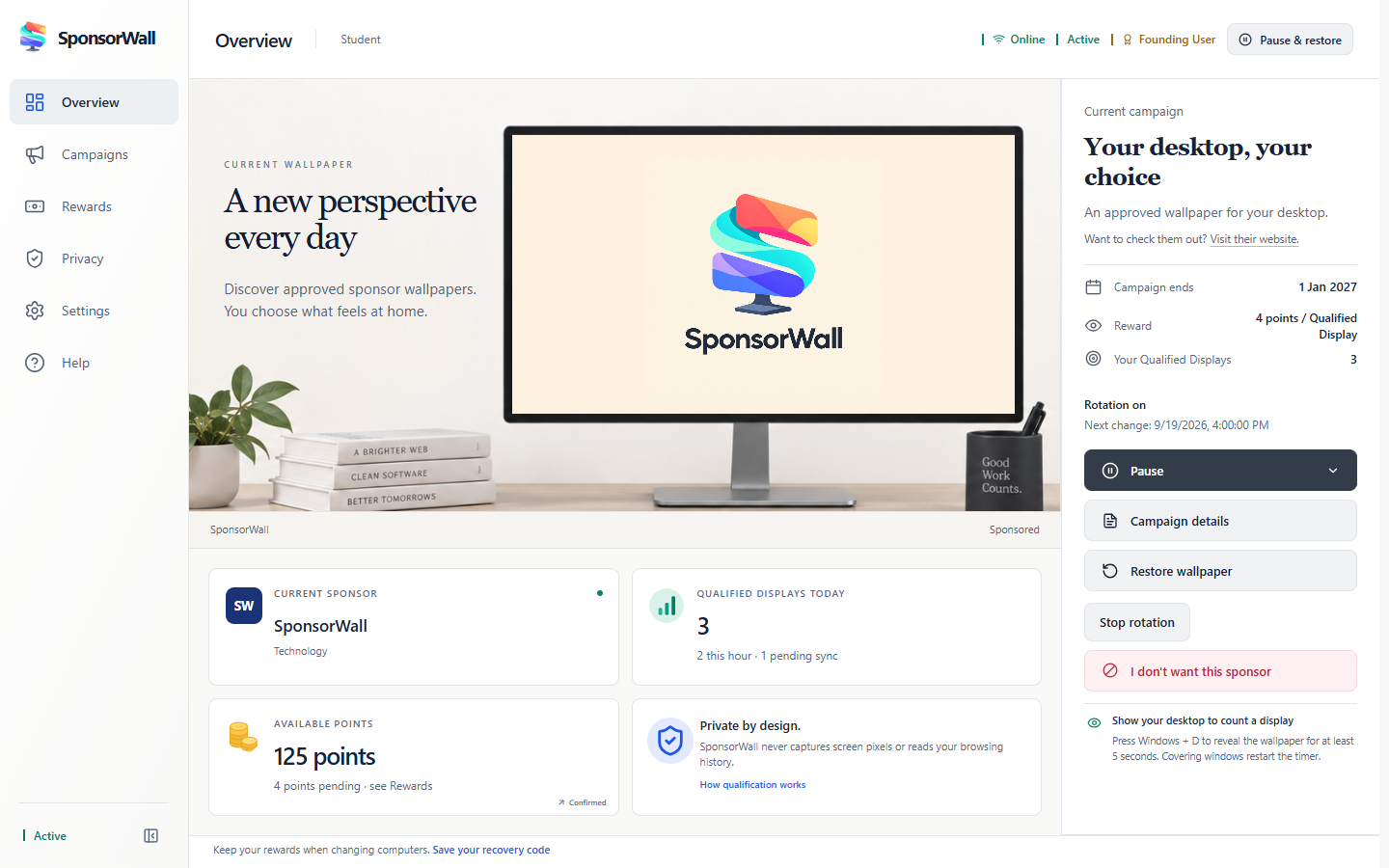 Your wallpaper and points, in one place.
Yes. You do not pay to join SponsorWall or participate in campaigns. You need a supported Windows 10 or 11 PC and an internet connection. Initial participation is for adults aged 18+ in India.
Your sponsored wallpaper must be visible for at least five seconds while your PC is unlocked and active. The app calls this a Qualified Display. Covering the desktop with apps or locking your PC stops it from qualifying. Simply leaving your computer on does not keep earning points.
Each campaign shows its point rate before you activate it. Earnings depend on eligible displays, cooldowns, daily and monthly limits, and the campaign’s remaining points. Confirmed points normally sync about every five minutes. There is no guaranteed earning amount.
Open Rewards in the app to see the available gifts and their point prices. Once you have enough confirmed points, request a gift and follow its status in the app. Delivery is not instant. Availability and point prices can change. Points are not cash.
Yes. Choose eligible campaigns, change your sponsor preferences, or stop rotation. You can pause and restore your original wallpaper whenever you like. If Windows uses Slideshow or Spotlight, switch to Picture in Settings → Personalization → Background before activating SponsorWall.
No. SponsorWall checks desktop visibility, idle time and session state locally. It does not record screen pixels or read your browsing history. Account and campaign activity needed for the service is sent to the server. Sponsor website visits are not tracked or rewarded. See the privacy policy for details.

SponsorWall is launching soon. Join the waitlist and we’ll let you know when it’s ready.
Confirm your email to join the waitlist. We’ll email you when SponsorWall launches.
FOR SPONSORS
Interested in running a campaign? See how SponsorWall works, then get in touch to discuss your audience and artwork.
Email: admin@sponsorwall.in